Editor Guide / Creating & Editing
Selecting, Copying, and Resizing a Pattern
These tools work on a rectangular selection when you have one active, or the whole design when you don't.
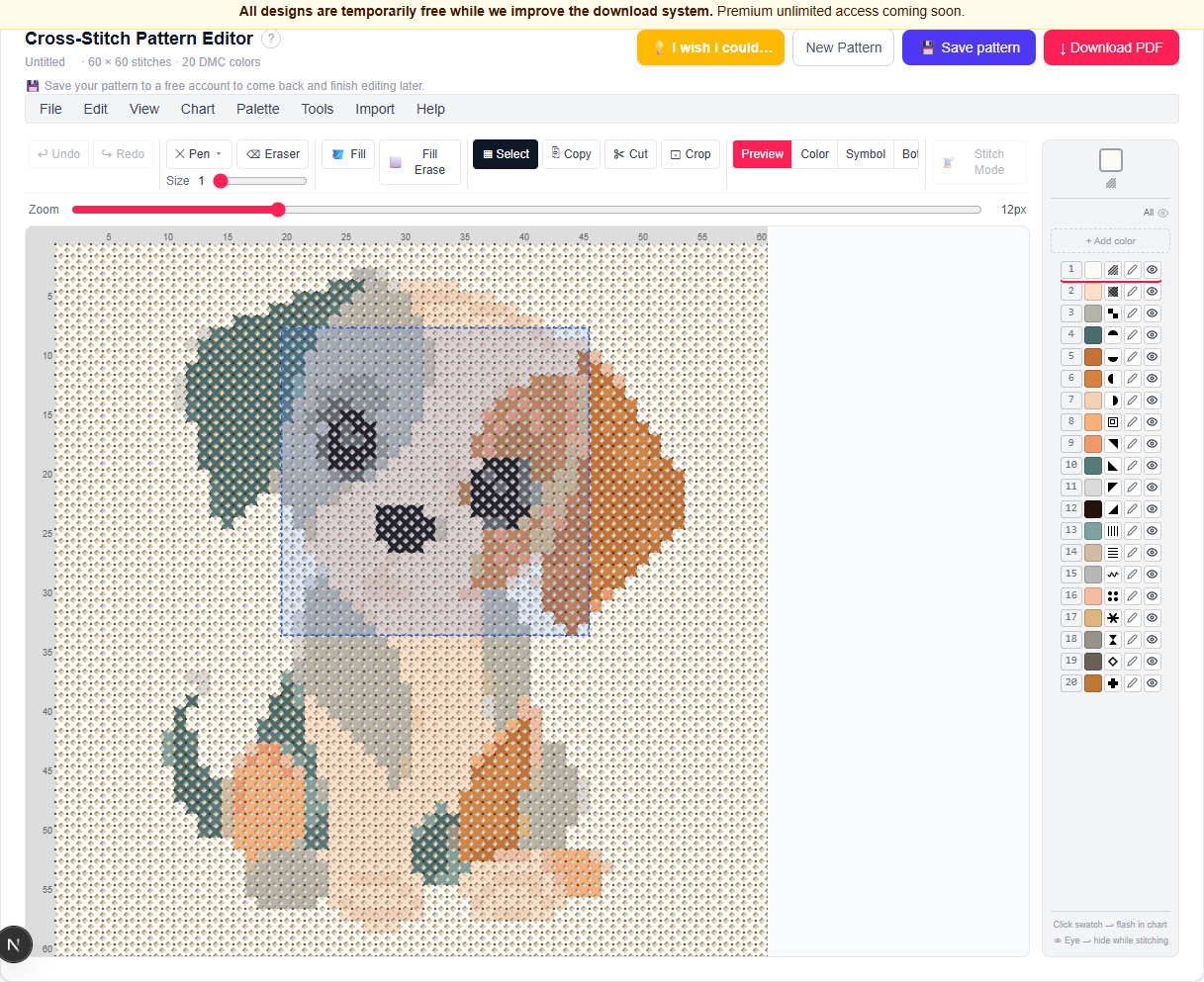
Selecting
Choose the Select tool, then drag on the canvas to mark a rectangular area. With a selection active, Copy (Ctrl+C), Cut (Ctrl+X), Paste (Ctrl+V), and Crop all apply to just that area. Clicking outside the canvas, or switching to another tool, clears the selection.
Flip and rotate
Edit → Flip → Horizontal / Vertical mirrors the design left-right or top-bottom. Edit → Rotate → 90° Right / 90° Left / 180° turns it in 90° steps. Both apply to the current selection if one exists, otherwise to the whole pattern.
Resize
Chart → Resize… changes the canvas dimensions two different ways: Resize canvas pads or trims the edges (anchored to the top-left corner or centered), keeping existing stitches at their original size; Scale content stretches the whole pattern to fit the new dimensions instead.
Chart → Size to Design automatically trims empty border rows and columns so the canvas fits tightly around your stitches — handy after cropping or heavy editing leaves a lot of empty margin.
Crop to selection
With a selection active, Edit → Crop to Selection (or the Crop button that appears) trims the whole canvas down to just that rectangle, discarding everything outside it.
Remove confetti
Chart → Remove Confetti re-runs the same isolated-stitch cleanup that already ran automatically when the pattern was first generated — useful if manual editing has left any stray single stitches behind. It always works on the whole pattern, not just a selection.
Ready to try it in the editor?
Open the editor →Frequently asked questions
- What's the difference between "Resize canvas" and "Scale content"?
- Resize canvas keeps every existing stitch at its original size and adds or trims empty space at the edges. Scale content stretches or shrinks the entire pattern to fit the new dimensions, changing the size of every stitch relative to the whole design.
- Does flipping or rotating affect the whole pattern or just part of it?
- It applies to your current selection if you have one active; otherwise it applies to the entire pattern.
- Can I run confetti cleanup again after editing?
- Yes — Chart → Remove Confetti re-runs it on the pattern as it currently stands, any time.
More in Creating & Editing
Other guides
Last updated 2026-07-30.