Editor Guide / Finishing & Sharing
Exporting a Print-Ready PDF Chart
The PDF is the finished, stitchable output of everything you've built in the editor.
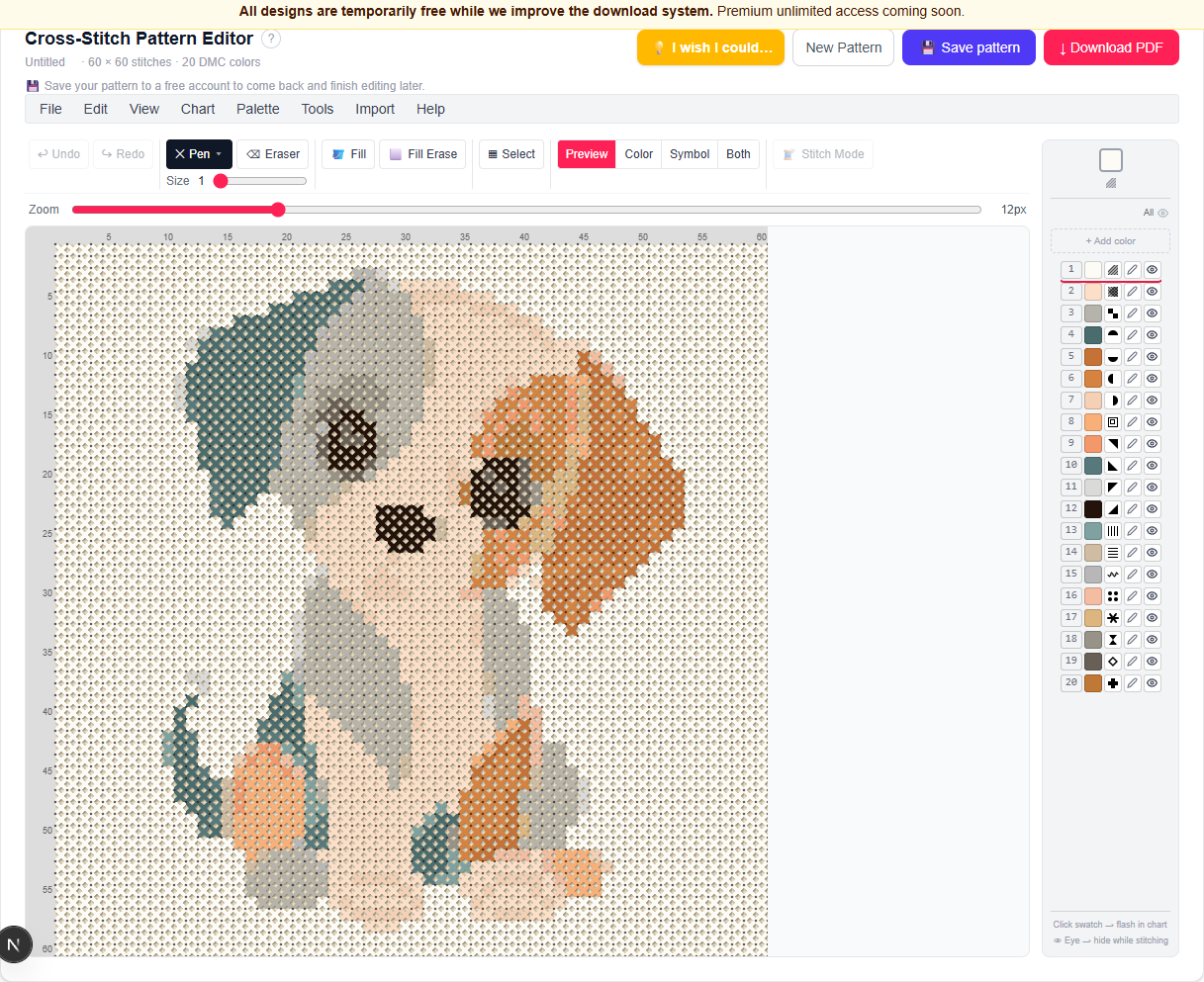
How to export
Click ↓ Download PDF in the top-right of the editor. You'll be asked to name the pattern if you haven't already; the button shows Downloading… while it generates, so a slow connection doesn't leave you wondering whether your click registered.
What's in the PDF
Every export includes three parts:
- A color chart — the full pattern in DMC thread colors, best for stitching in good light.
- A symbol chart — the same pattern in black and white, each color shown as a unique symbol. Cheaper to print and easier to read under a lamp.
- A color key table listing the symbol, DMC number, color name, and stitch count for every thread used, so you know exactly what to buy.
Ready to try it in the editor?
Open the editor →Frequently asked questions
- Do I need an account to download the PDF?
- Yes — an account is required to download, and it's free right now with no paid tier live yet.
- Does the PDF include a symbol version for black-and-white printing?
- Yes, every export includes both a full-color chart and a symbol chart.
- Will the PDF tell me how much of each thread color to buy?
- Yes — the color key page lists the stitch count for every DMC color used.
More in Finishing & Sharing
Other guides
Last updated 2026-07-30.